
Resume Genius Reviews
Resume Genius advertises fast, professional results, but does it deliver? We tested it and analyzed real user reviews to help you decide if it’s worth your time and money.

Our customers have been hired by:*Foot Note





Customer reviews of Resume Genius
Resume Genius maintains a rating of 4.5 on both Trustpilot and SmartCustomer:
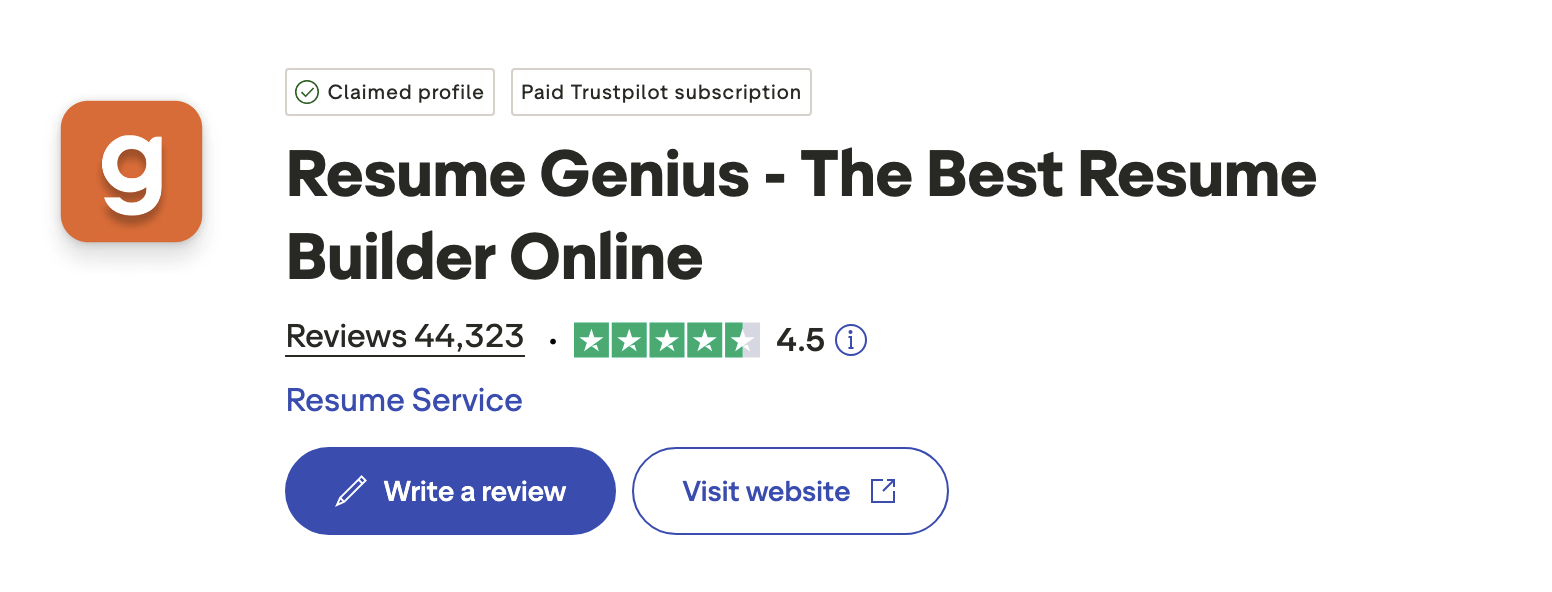
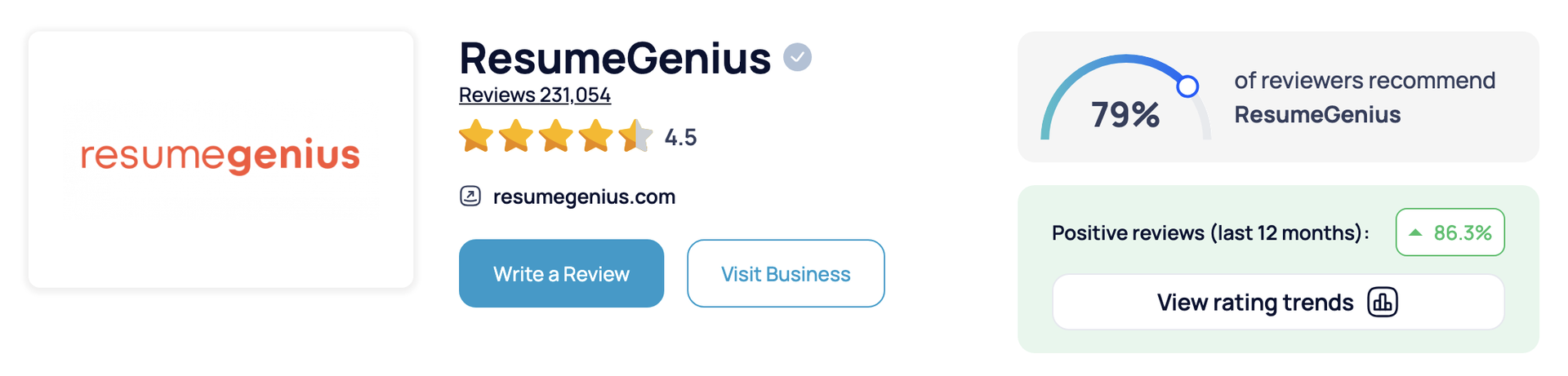
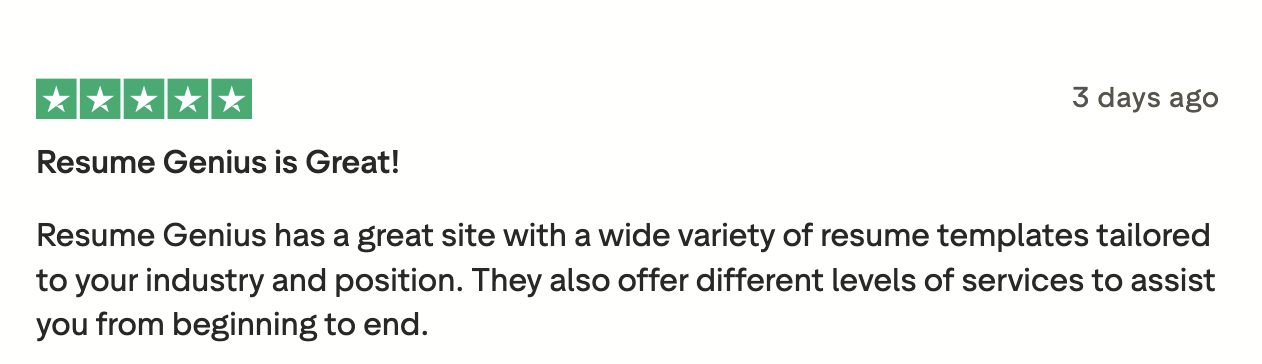
Positive reviews often mention Resume Genius’ wide selection of templates:
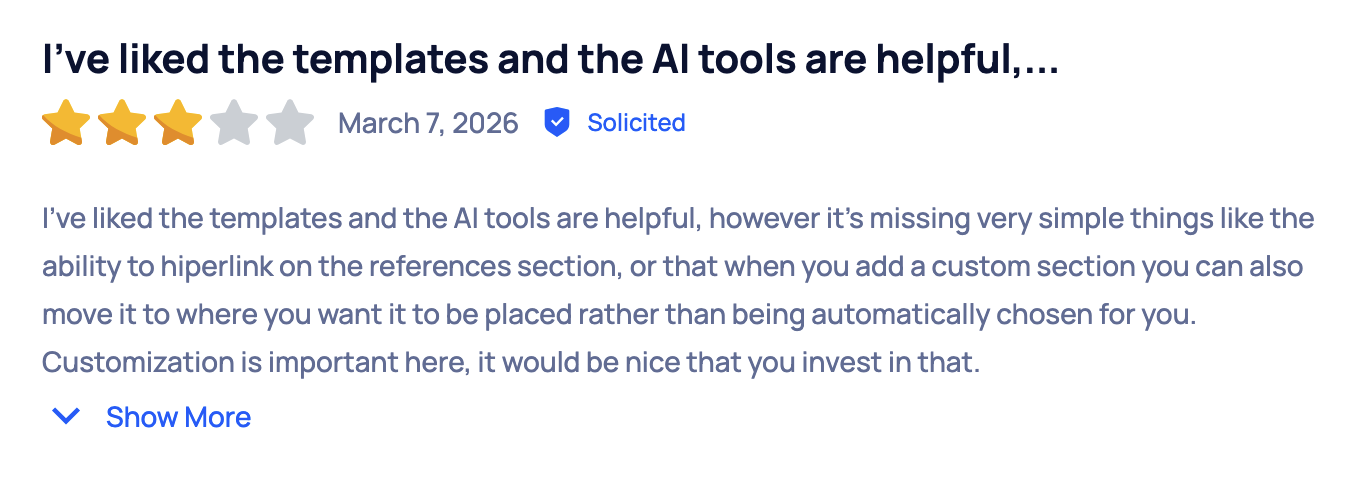
In negative reviews, customers mention the inability to drag and drop sections:
Resume Genius pricing
Resume Genius pricing uses a freemium model: You can create a resume for free, but downloads are restricted to a basic .txt file format unless you sign up for a paid plan.
There are two paid plans. The monthly plan starts as a 14-day trial for $2.95, after which it automatically charges $23.95 every four weeks unless canceled. There’s also an annual plan that costs $95.40 (averaging $7.95 per month) and is automatically renewed annually unless canceled.
How the Resume Genius builder works
Here’s a step-by-step look at how Resume Genius’ builder works from start to finish.
Choose a resume template
The Resume Genius builder starts by asking a few questions about your experience level, education, and career background. Based on your answers, it recommends resume templates tailored to your situation.
From there, you can browse the suggested options and select a template that fits your industry and career goals.
Enter basic information
Next, you’ll input your contact details, including your full name, phone number, email address, and location. This information is placed in the header section of your resume.
Add your work experience
Then, you’ll enter your previous roles, including job titles, company names, and dates of employment.
Based on the information you provide, the builder generates and suggests bullet points for your responsibilities and achievements, which can help speed up the writing process. You can add these suggestions directly to your resume or edit them to better reflect your experience.
Fill in your education
In this section, you’ll add your educational background, including your degree, school name, and graduation date. You also have the option to include additional details, such as relevant coursework.
The builder also allows you to add certifications and licenses if they’re applicable to your target job.
List your skills
Next, you’ll add your key skills for the skills section of your resume.
Based on your work experience, the builder suggests skills you can include and offers AI-assisted tips to help you refine your entries. You can select from these suggestions or customize your skills to better match your background.
Write a professional summary
In this step, you’ll create a professional summary to appear at the top of your resume. This section provides a brief overview of your experience, skills, and career goals.
Using the information you’ve already entered, the builder generates a summary you can review and edit. You can keep the suggested version or customize it to better reflect your background and the role you’re targeting.
Add optional sections
You can also include additional sections to customize your resume even more. The builder allows you to add sections such as Languages, Community Service, and Awards, as well as custom sections.
Customize your resume
At the final editing stage, you can adjust the overall look and feel of your resume. The builder allows you to switch between different templates and colors.
You can also make basic formatting changes, such as adjusting font size and spacing, to make sure your resume is easy to read and fits on one page.
Download your finalized resume
Resume Genius allows users to download their resume in TXT format for free. To download your resume as a formatted Word document or PDF, you’ll need to subscribe to a paid plan.
Additional tools and features
In addition to its resume builder, Resume Genius offers several tools designed to help with different parts of the application process.
Cover letter builder
A Resume Genius subscription includes access to their cover letter builder. It follows a similar guided process, providing prompts and pre-written content that you can customize based on your experience and the specific role you’re applying for.
Both tools are integrated, so you can create a matching resume and cover letter with consistent formatting and design without having to format each document separately.
ATS resume checker
Resume Genius also has an ATS resume checker designed to help you evaluate how well your resume can be read by applicant tracking systems. The tool scans your resume, gives it an ATS compatibility score, and provides feedback to improve your resume’s readability.
AI resume generator
Resume Genius’ AI resume generator allows you to generate a first draft of your resume by entering a prompt with details about your experience. You can then review and edit the generated content to better match your experience and the job you’re targeting.
Resume summary generator
Resume Genius also has a resume summary generator that can quickly create an introduction for your resume. The tool asks you a series of questions about your background and produces a short summary you can edit or use as-is.
Resume bullet point generator
Another tool made by Resume Genius is its resume bullet point generator, which helps you describe your work experience by suggesting custom bullet points. Based on your job title, the tool generates bullet points you can edit and add to your resume.
Frequently asked questions about Resume Genius
Here are answers to some of the most common questions about Resume Genius.
Is Resume Genius legit?
Yes, Resume Genius is a legitimate resume building platform that offers resume and cover letter builders, templates, and AI writing assistance. It has customer ratings of 4.5 on both Trustpilot and SmartCustomer, and most users report that it’s easy to use and effective for quickly creating a resume.
Is Resume Genius free?
No, Resume Genius is not free, but it does offer limited free features. You can build a resume using the platform and download it as a basic .txt file and access some templates and tools at no cost.
However, if you want to download a fully formatted resume (PDF or Word), you’ll need to pay for a subscription.
Is Resume Genius safe?
Yes, Resume Genius is safe to use, with standard security measures in place to protect user data. It’s a legitimate and widely used service, but it’s still important to review the terms and manage your subscription carefully.
Is Resume Genius easy to use?
Yes, many user reviews say that Resume Genius is easy to use. The platform follows a step-by-step process that guides you through each section of your resume, with prompts, pre-filled examples, and AI suggestions to help you along the way.